

Place a door or window
Pick Door or Window in the Build tab. A ghost preview follows your cursor; the moment you hover a wall it snaps onto it, showing green when the spot is valid and red when it isn’t (off the wall, or overlapping another opening). Click to place. While placing:Rflips which way the opening faces. On an outside wall a door starts facing out, whichever side of the wall you hover.Ocycles the type andLthe style of the opening you’re about to place (the Type and Style chips in the helper panel). For a window,Lshows only while the type is Fixed.Alt+ click force-places over a collision warning.Esccancels.- The continuation chip in the helper panel (
Cto cycle) switches between Place once and Place multiple, so you can drop a row of windows without re-picking the tool.
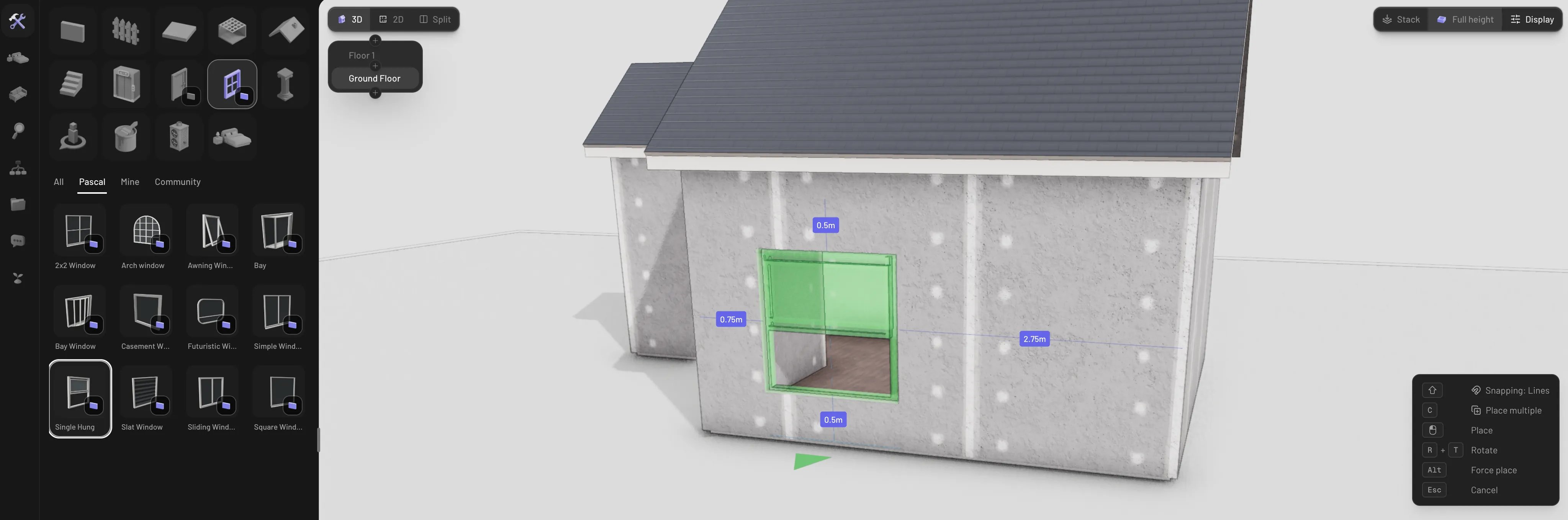
Placing a window on a wall
Types and variants
Every variant is a setting on the placed opening, so you can change it any time from the properties panel:- Doors have three modes — Door, Opening (a frameless cutout with no leaf), and Garage. Door types: Hinged, Double, French, Folding, Pocket, Barn, and Sliding. Garage types: Sectional, Roll-up, and Tilt-up.
- Windows offer Fixed, Sliding, Casement, Awning, Single Hung, Double Hung, Bay, Bow, and Louvered, plus the same frameless Opening mode. Bay and bow windows have no sill.
- Style sets the look of a door’s leaf or a window’s sash. Doors: Panel, Glass, Modern, Paneled glass, French, Shaker, Six-panel, Craftsman, Half-louvered, and Barn. Windows: Single, Double-hung, Triple-hung, Casement, Sliding, Grid, Tall grid, Wide grid, Horizontal bands, and Transom (a one-pane picture window is Single). A window style shapes the panes of a Fixed window, so the window’s Style row shows only for a Fixed window; other types draw their own sashes. A door or window you edit away from every style shows Custom.
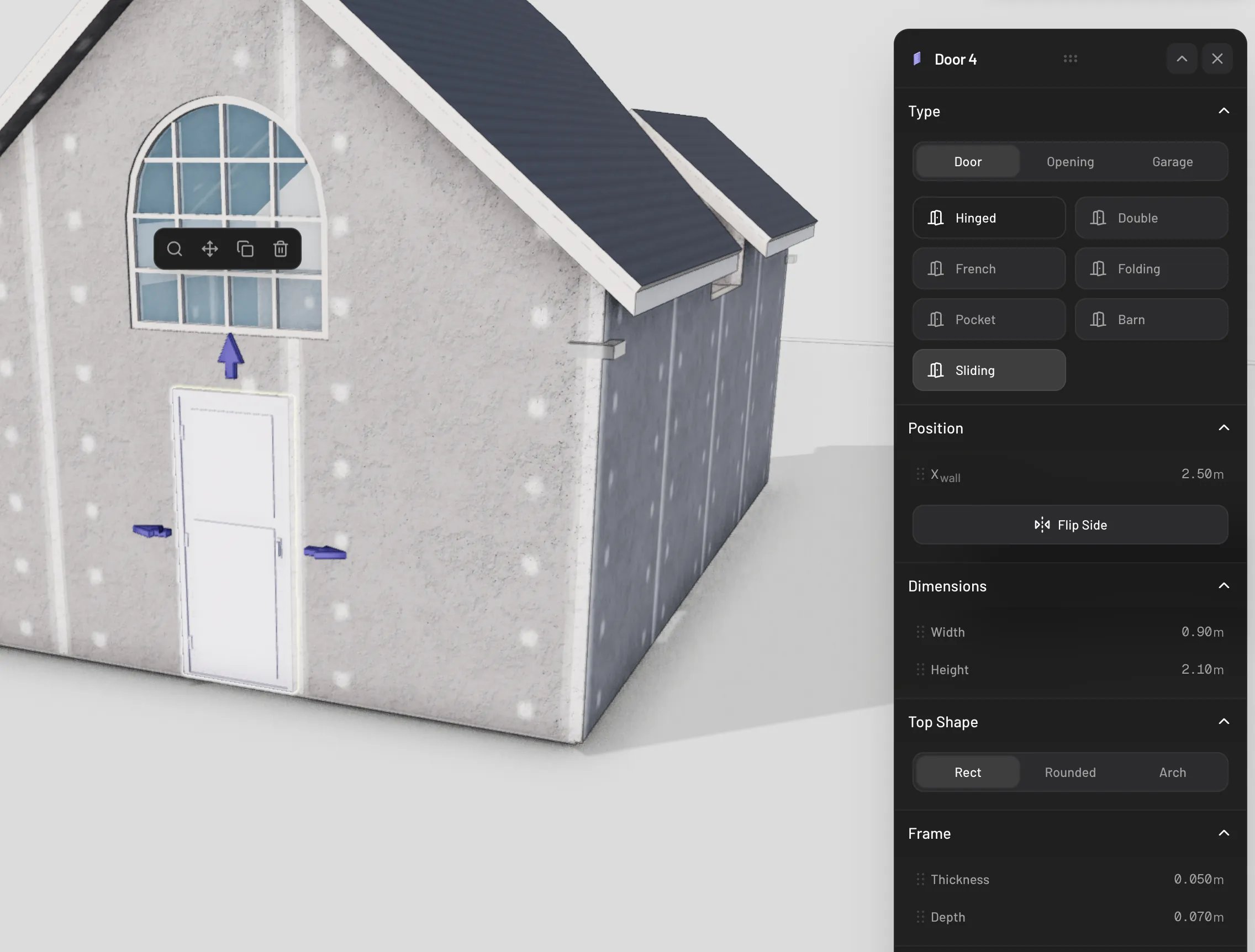
Door types in the properties panel
Move an opening
Grab the move handle on a selected opening (or use the Move action in its panel) and drag. The opening slides along its wall, staying inside the wall’s bounds — and if you drag onto a different wall, it hops across and re-hosts there. Away from any wall the ghost turns red and won’t drop. With Lines snapping active, alignment guides catch on neighboring doors, windows, and wall items so you can line up a facade precisely.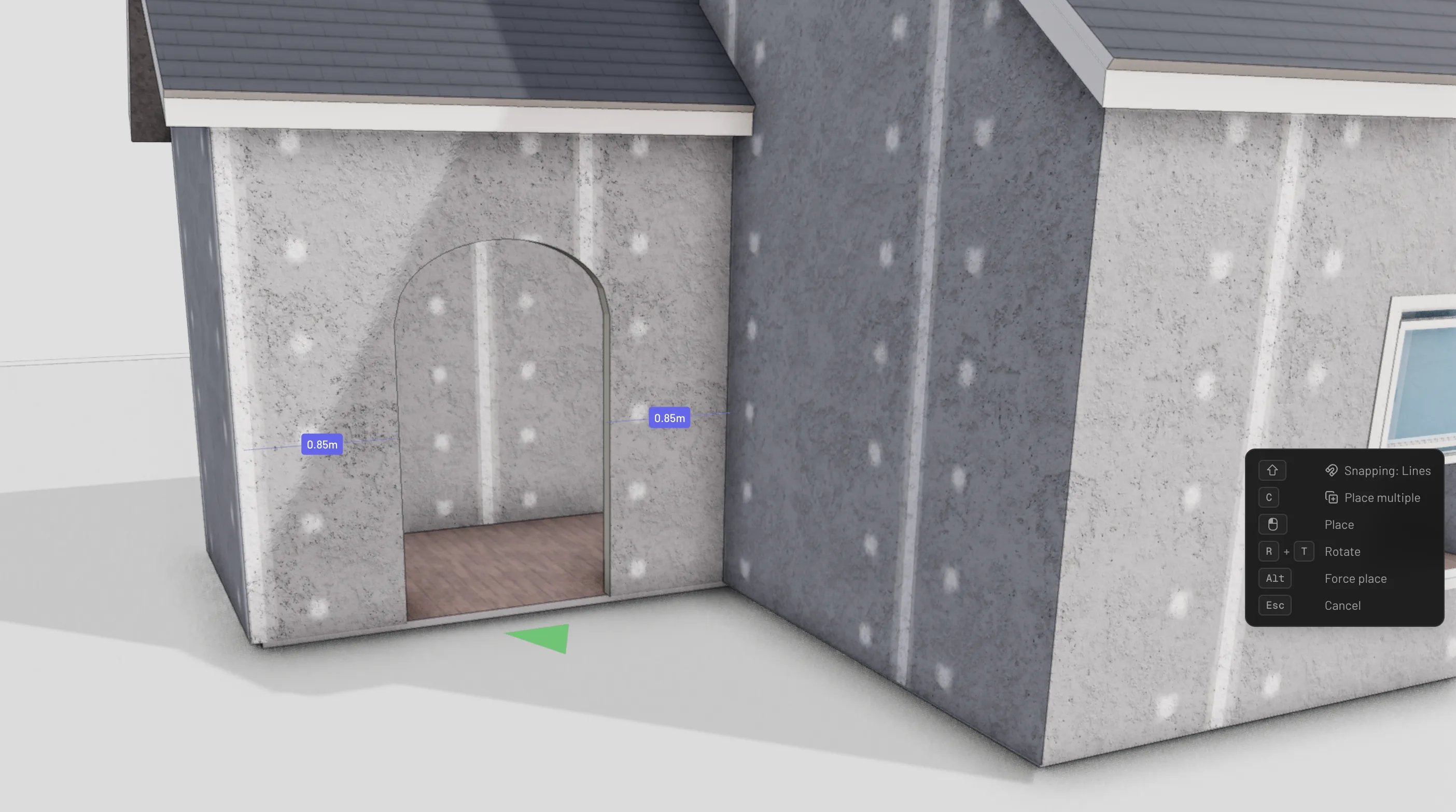
Sliding an opening along its wall
Sizes
Doors default to 0.9 × 2.1 m and windows to 1.5 × 1.5 m (picking a different type adjusts the default — a double door starts at 1.5 m wide, a garage door at 2.7 × 2.4 m). To resize:- Drag the width and height arrows on the selected opening.
- Or set exact values with the Width and Height sliders in the panel’s Dimensions section.
Swing and direction
- Flip Side in the panel (or
Rwith the opening selected) turns the opening to face the other side of the wall. - Hinged doors have a Swing section: Hinges Side (Left / Right) and Direction (Inward / Outward), plus a handle-side choice.
- Sliding, pocket, and barn doors choose their slide direction (Left / Right).
Open and close
Doors and operable windows really open. PressE with one selected to toggle it,
or drive it gradually with the operation slider in the panel. In walkthrough mode,
click a door to open and close it as you explore. Frameless openings and fixed
windows don’t operate.
Delete an opening
Select the opening and pressDelete or Backspace, or use the Delete action
in its panel. The hole it cut disappears with it — the wall heals instantly.