

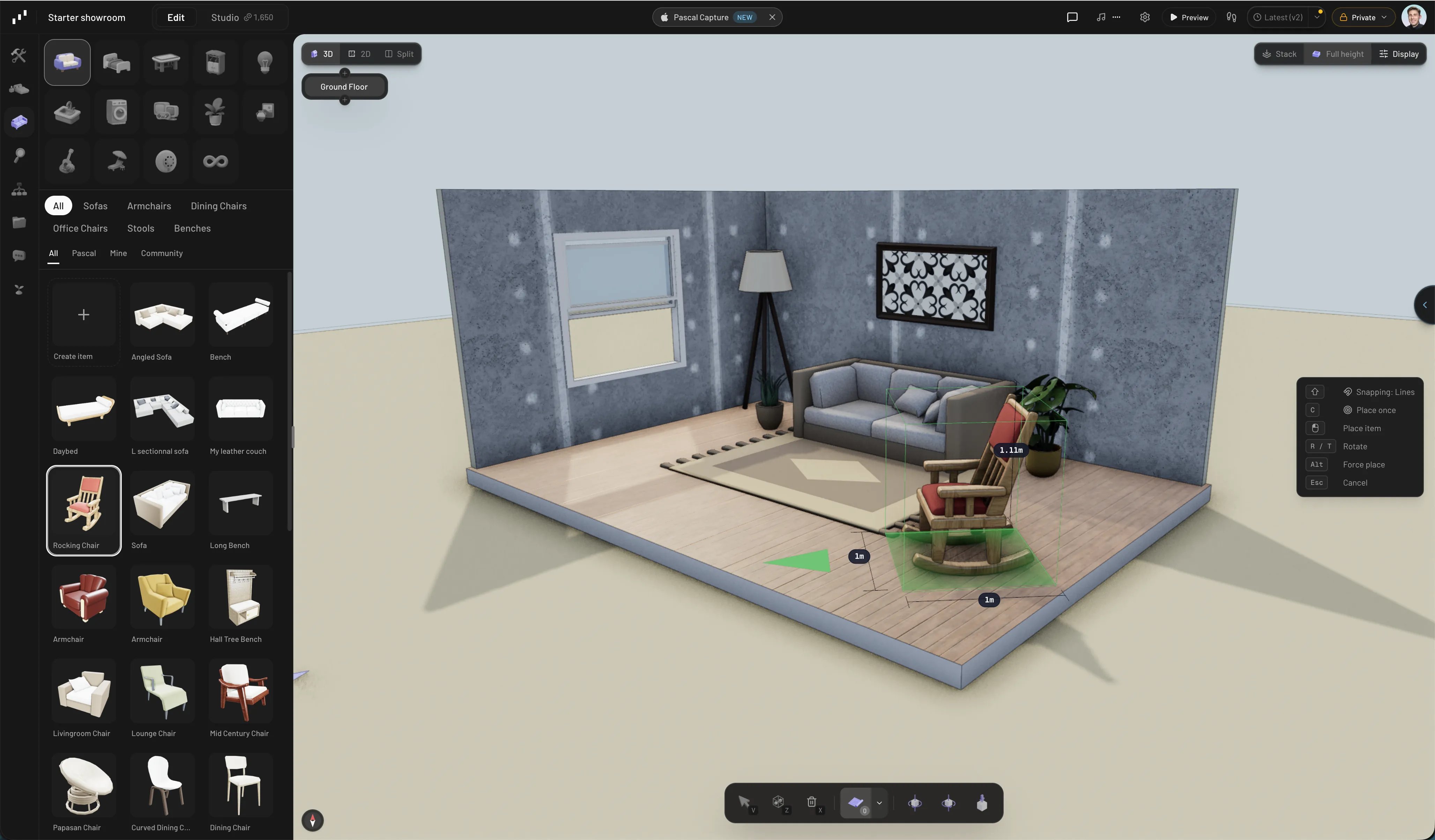
Building a room in Pascal
Start here
Your first scene
Draw a room, add openings, and place your first items in about five minutes.
Interface tour
What every panel, toolbar, and menu in the editor does.
Explore the features
Building
Walls, floors, levels, roofs, and the openings that cut through them.
Items & materials
Furnish from the catalog, then paint any surface with realistic materials.
AI assistant
Chat with an assistant that builds and edits your scene for you.
Studio renders
Turn scene captures into photorealistic image and video renders.
Capture
Scan a real space with your iPhone and turn it into an editable scene.
Sharing & community
Make projects public, share view links, and duplicate what others build.
Export
Take your scene anywhere — GLB, OBJ, STL, and PDF floor plans.
Embedding
Put a live, interactive Pascal scene on your own site with one iframe.
Build with Pascal
Run Pascal locally
Install and manage the open-source editor from your terminal with the Pascal CLI.
Connect an AI agent
Let Claude Code, Codex, Cursor, OpenClaw, or another MCP client edit projects.
Create a plugin
Add scene nodes, rendering, tools, and editor panels from an independent package.
Embed a project
Put a live, interactive Pascal scene on your own site with one iframe.