

extras. The
Pascal for Blender extension reads them so a
scene lands in Blender as something you can work with, not a flat pile of meshes:
- one collection per level with sub-collections per kind (walls, doors, windows, items, zones, slabs, ceilings, …)
- objects named after their Pascal labels, with
pascalId,kindandlabelkept as custom properties - zones rebuilt as coloured floor polygons (viewport only, excluded from renders)
- metric units, and re-importing the same project replaces the previous import
- optional material polish (real glass, leaf cutouts, a calmer site ground) and lighting presets
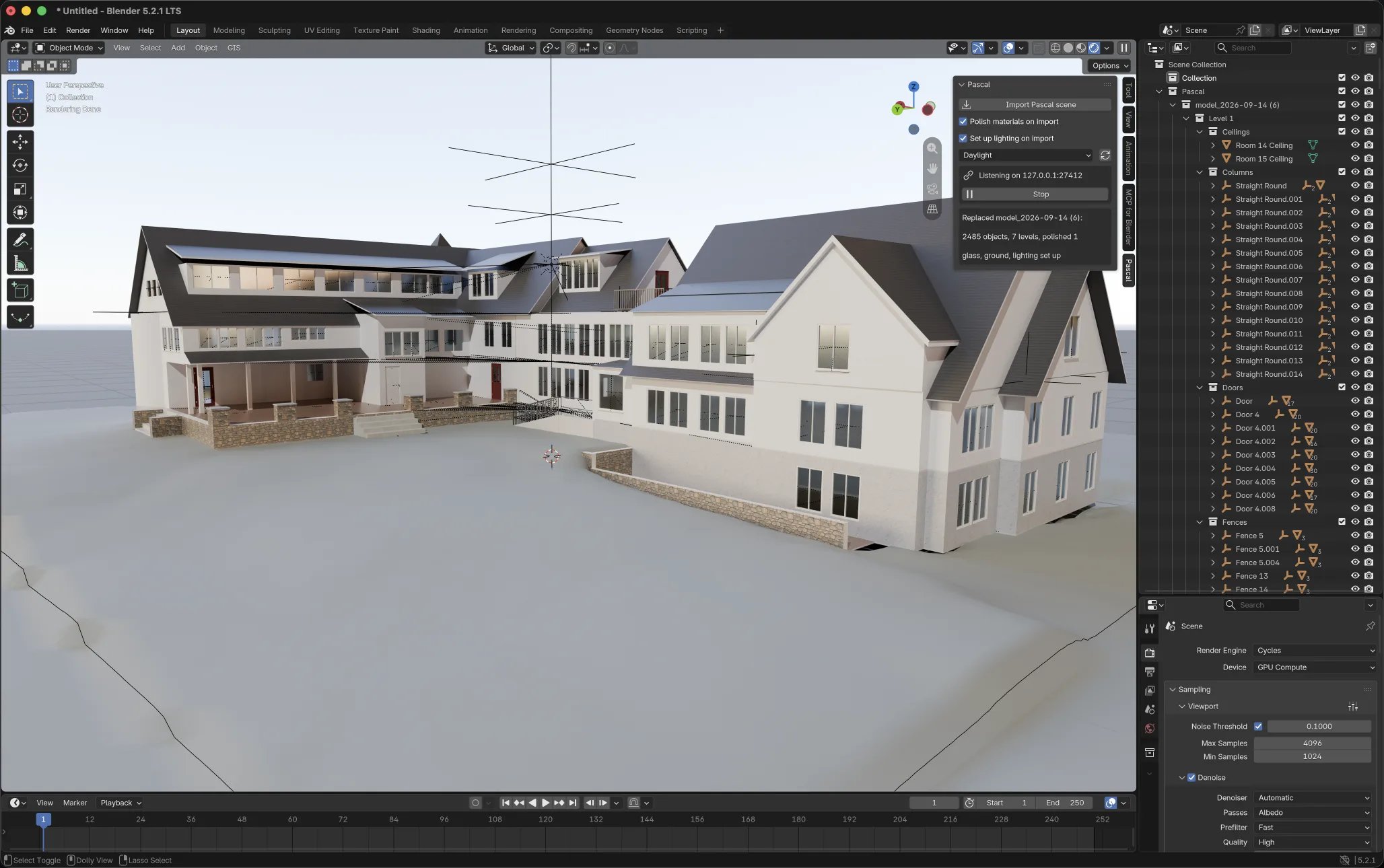
A Pascal house in Blender: collections per level and kind, the Pascal tab, Daylight preset
The extension is open source under GPL-3.0, as Blender requires for add-ons. Blender 4.2 or
newer.
Install
- Download
pascal-<version>.zipfrom the releases page. - In Blender: Edit → Preferences → Get Extensions, open the ▾ menu top right, choose Install from Disk… and pick the zip.
- Press
Nin the 3D viewport and open the Pascal tab. It should read Listening on 127.0.0.1:27412.
Send a scene from the editor
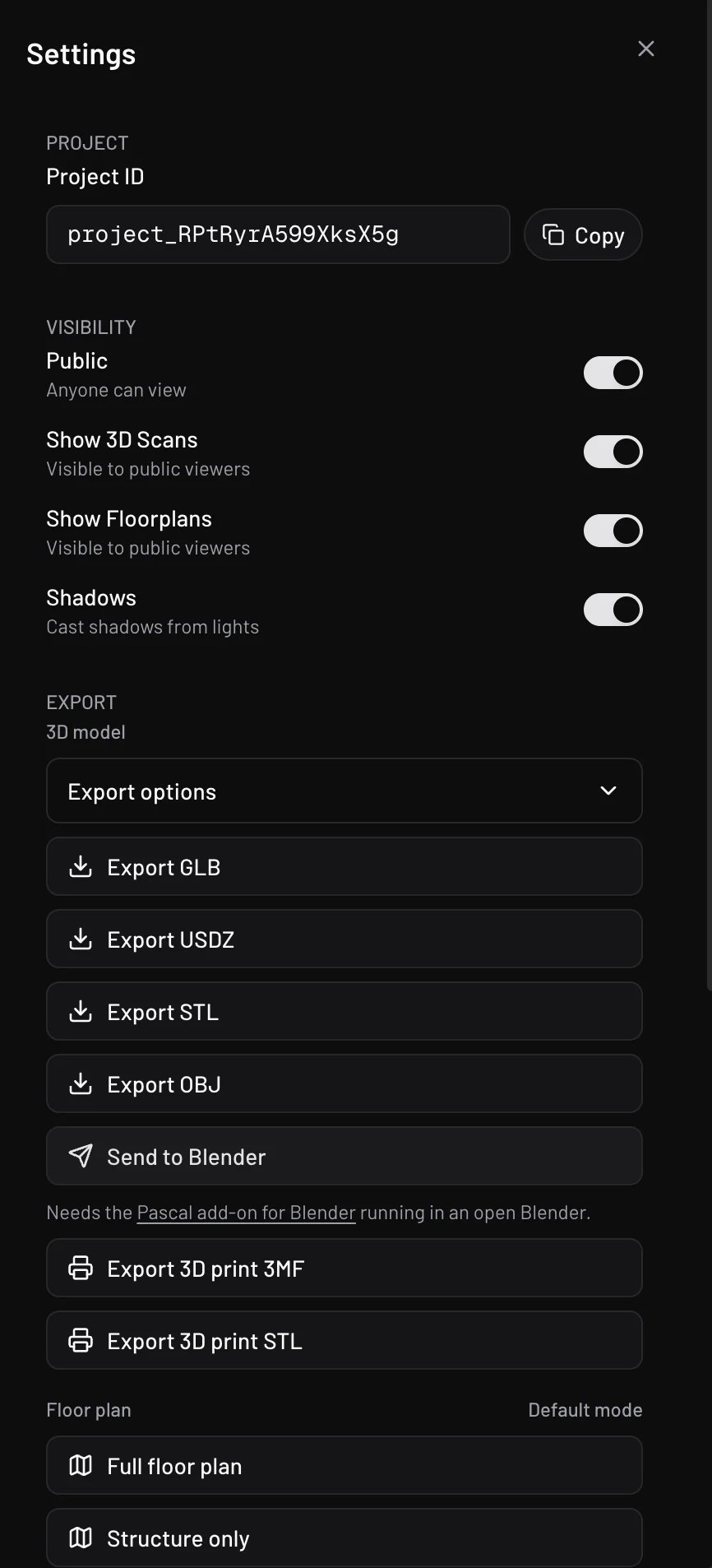
Settings → Export → Send to Blender
- In the Pascal editor open Settings → Export and click Send to Blender.
- The first time, Blender has not allowed your site yet. The Pascal tab in Blender lists the
origin (for example
https://editor.pascal.app) with an Allow button. Click it. - Click Send to Blender again. The editor exports the live scene, hands it to Blender, and reports Blender’s own summary when the import is done.
https://editor.pascal.app is
allowed by default; local or self-hosted editors go through the Allow step once.
Import a downloaded file
File → Import → Pascal scene (.glb) works on any file from Export GLB, with the same result as the send flow. Untick Replace previous import in the file dialog to keep an earlier import of the same project.Lighting and material polish
Two options, both on by default, in the Pascal tab, the import dialog, and the extension preferences (which govern scenes sent from the editor):- Polish materials turns see-through surfaces into Principled glass, wires cutout alpha on leaf textures, and gives the site ground a calmer albedo.
- Set up lighting adds a sky, a sun, a ground disc and a framed camera (
Numpad 0looks through it) and switches the viewport to rendered shading. Presets: Daylight, Golden hour, Overcast, Night (adds a warm bulb per room and a porch light), Physical sky. The refresh button next to the preset re-lights the current scene. Your render engine is left alone unless you choose otherwise in the preferences.
Pascal sky, Pascal sun, Pascal camera, …) and
reused on the next import, so tweak or delete freely.
Script geometry with Blender
An agent can build a custom object, window, door or column from a Blender Python (bpy)
module instead of a three.js one. Blender is the better choice for bevelled and rounded
edges, subdivision-smooth and organic forms, booleans, curves and text, and modifiers
such as solidify, array and screw. The result is a normal Pascal object: you can move
it, paint its surfaces and ask the agent to change its parameters.
Ask for it in plain words:
add_object with language: "bpy" and a module like this:
PARAMSdeclares the values a person or agent can change later, with their ranges.MOUNTisfloor,wall-side(on a wall face),wall(through a wall, like a window) orceiling.build(params)adds objects to an empty scene. Everything in the scene is exported, with modifiers applied.
part:<id> for a
named part, light:<id> for a point or spot light (its intensity custom property sets
the brightness, default 2; a spot keeps its cone and blend; shadows = True casts shadows;
glow = {"size": 0.2, "strength": 1} draws a soft halo around the lamp), anchor:<id> for
an empty other things attach to. Material
names slot_<id> become paintable surfaces, so the table above has top and legs
roles for paint. An animation is one action named open, close, loop or anything
else, assigned to every object that moves in it. Use the data API and bmesh, not
operators that need a 3D viewport. An object can have at most 300k triangles,
32 materials and 60 m per side.
To change the object later, the agent calls add_object again with its nodeId and
new params, or new code. get_source returns the current module.
Where Blender runs
- Hosted Pascal runs each build in an isolated Blender sandbox with no network access. A build takes a few seconds. The object’s Parameters panel in the editor rebuilds it through Blender too.
- Local MCP runs
bpymodules in the Blender binary named byPASCAL_BLENDER, set in the environment that starts the MCP service. This runs the module on your machine without a sandbox, so only use it with code you trust. WithoutPASCAL_BLENDER, abpybuild is refused. The local editor can’t rebuild a Blender object from its Parameters panel; ask the agent to rebuild it instead.
What the file contains
Every Pascal scene node is a glTF node named by itspascalId with these extras:
Anything else is ordinary glTF 2.0 that any importer handles. Glass exports with
KHR_materials_transmission, so Unity, Unreal and Blender all render it as glass.
The loopback protocol
The extension listens on127.0.0.1:27412 (the next few ports if taken). Anyone building
another receiver, or another sender, can speak the same four routes:
Browsers are gated by the origin allowlist; requests without an
Origin header (curl, local
scripts) are accepted, since the allowlist exists to gate the browser’s ambient authority. The
editor side lives in the open-source editor package (lib/send-to-app.ts), so the same button
could target any app that implements these routes.