
For most of its life, a Pascal project has been about structure: walls, floors, and a roof over the top. This release is about everything that turns that structure into a building you'd recognize. You can finish its surfaces, walk through it at eye level, and run the systems behind the walls.
Paint, on every surface
There's a real material catalog now, and you paint it on by hand. Open the paint panel, pick a finish, click a surface. The catalog is sorted into a dozen families — wood, stone, brick, tile, concrete, metal, fabric, leather, roofing, ground, glass, and a full color palette — and the finishes are physically based, so concrete reads as concrete and metal reads as metal.
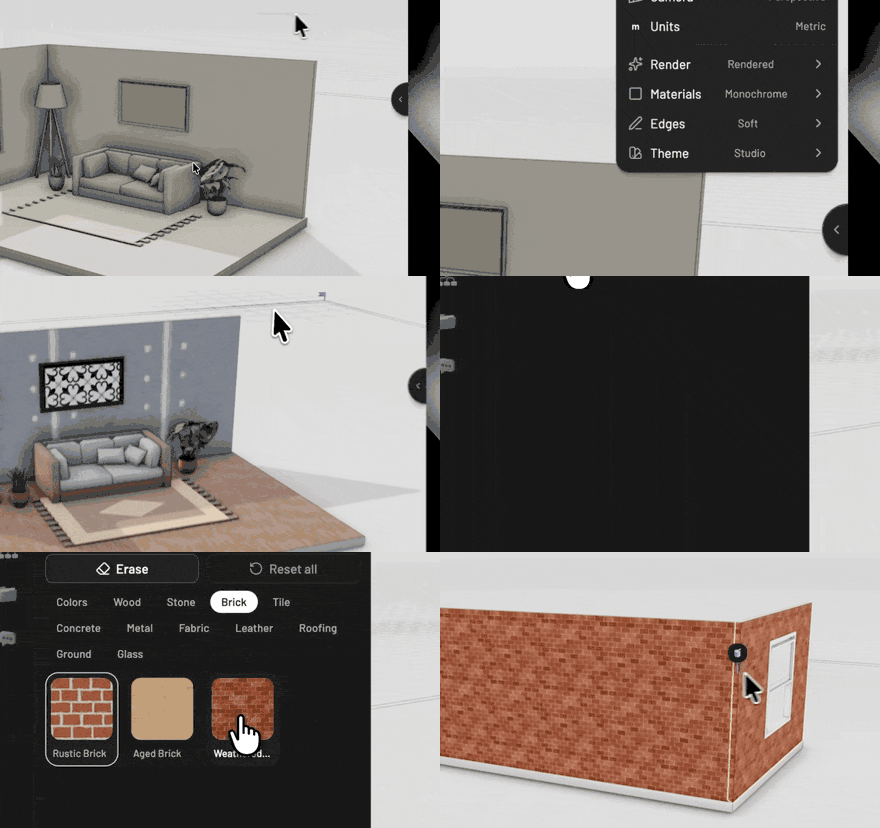
Everything you build takes paint: walls, slabs, ceilings, stairs, columns, fences, and the parametric pieces too. Doors and windows paint per part, so you can give a door a brass frame and tinted glass without touching its shape. The textures are sized to the real world, so a wood plank is the right physical size whether it lands on a tabletop or a gym floor. No more guessing at tiling.
When the catalog doesn't have the exact color you want, add a scene material and set its color, roughness, and metalness yourself. It saves with the project and sits right next to the catalog finishes.
Walk through it
Switch into first person and you're standing inside the model at eye level. WASD to move, mouse to look, and you bump into walls and furniture instead of floating through them.
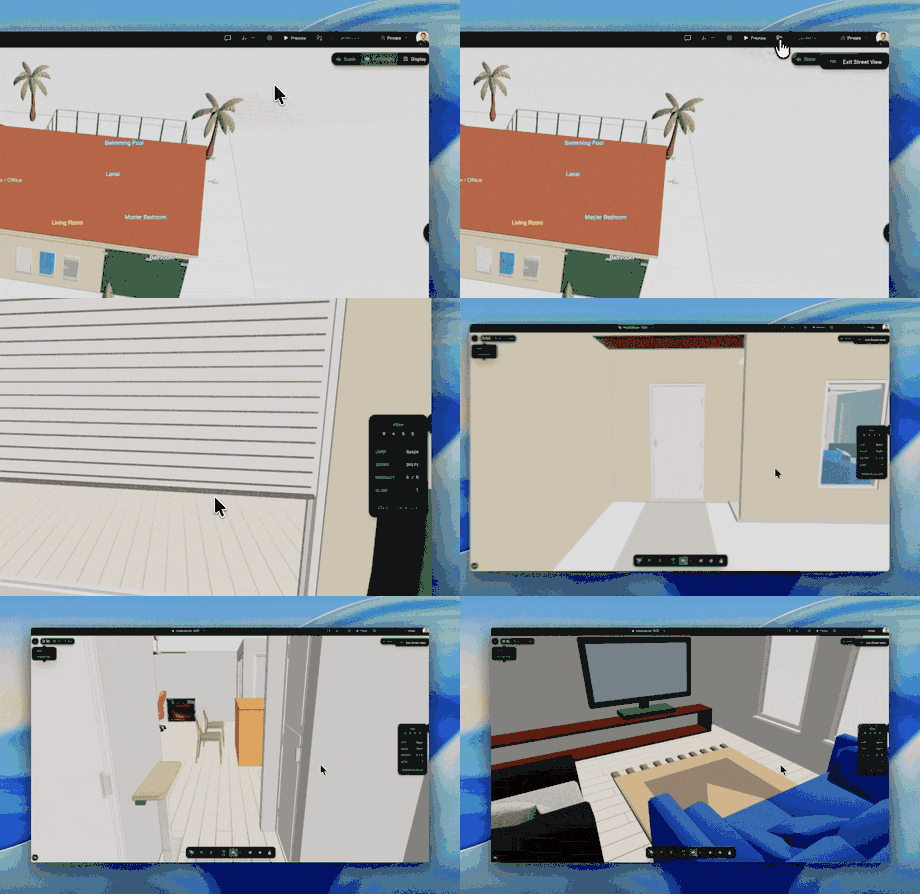
The doors work. Walk up to one and click: a hinged door swings, a sliding door slides, a garage door rolls up. Windows open the same way. Step into an elevator and it carries you to the next floor. A building you've only seen from above becomes a place you can move through, which turns out to be a good way to catch the things a top-down view hides.
MEP: ductwork and plumbing
This is the big new system: MEP — mechanical, electrical, and plumbing. This release covers the mechanical and plumbing side. You can lay out HVAC ductwork, drain-waste-vent plumbing, and the refrigerant linesets that run between an outdoor condenser and the indoor coil. Electrical comes next.

Drop in a furnace or an outdoor condenser, then trace a duct run through the ceiling. Where two runs meet, the right fitting picks itself — an elbow at a turn, a tee or a wye where a branch joins — and snaps into place. Move the equipment later and the runs connected to it stretch to follow.
All of it lives in the same scene graph as the walls and rooms, so it answers the same kind of questions everything else does: which runs connect to which equipment, how long each system is, how many fittings it takes. The structured graph that lets a person click a duct is the graph an agent reads to reason about the building.
Also in this release
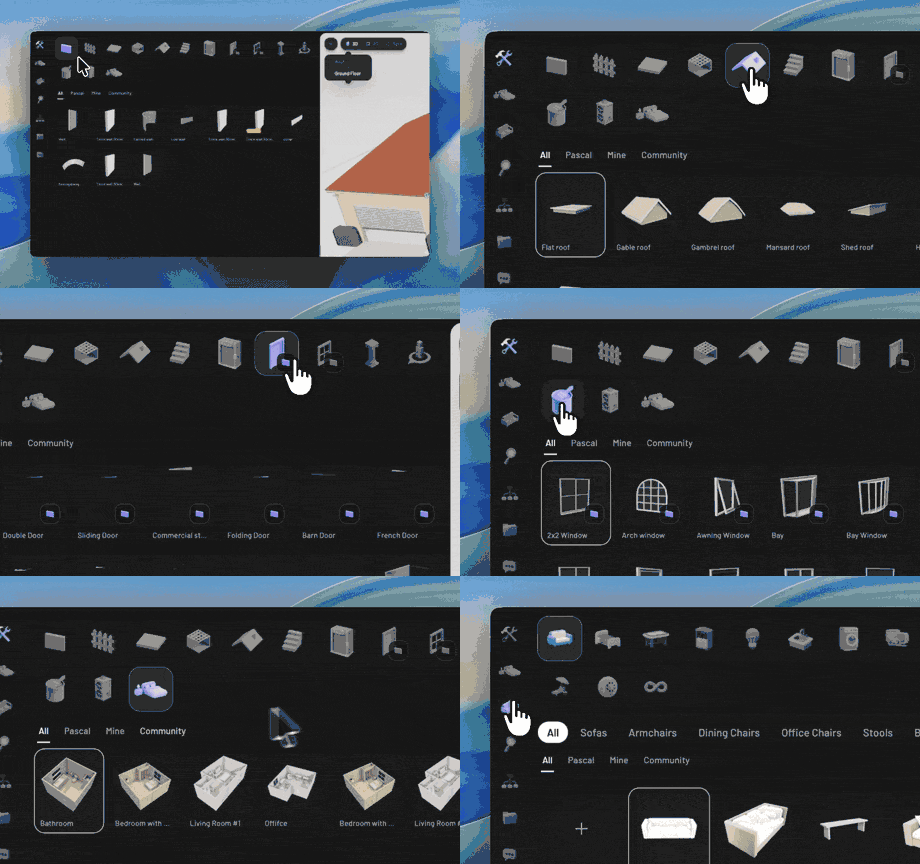
Presets and the catalog kept getting better on top of the June release. Parametric pieces now carry their painted finishes into a preset, so a saved door brings its brass-and-glass look with it, not just its dimensions. Browsing got a category rail, source tabs for the Pascal library, your own work, and the community, and a search box that looks across all of it at once. Fences picked up a horizontal-board style with capped posts. And fresh projects start with sensible default finishes, so a new wall doesn't open as flat gray.
None of this ships alone. Thanks this release to @sudhir9297 for the MEP systems and the first-person elevator, and @wass08 for the material catalog and per-part painting.