> ## Documentation Index
> Fetch the complete documentation index at: https://editor.pascal.app/docs/llms.txt
> Use this file to discover all available pages before exploring further.
# Welcome to Pascal
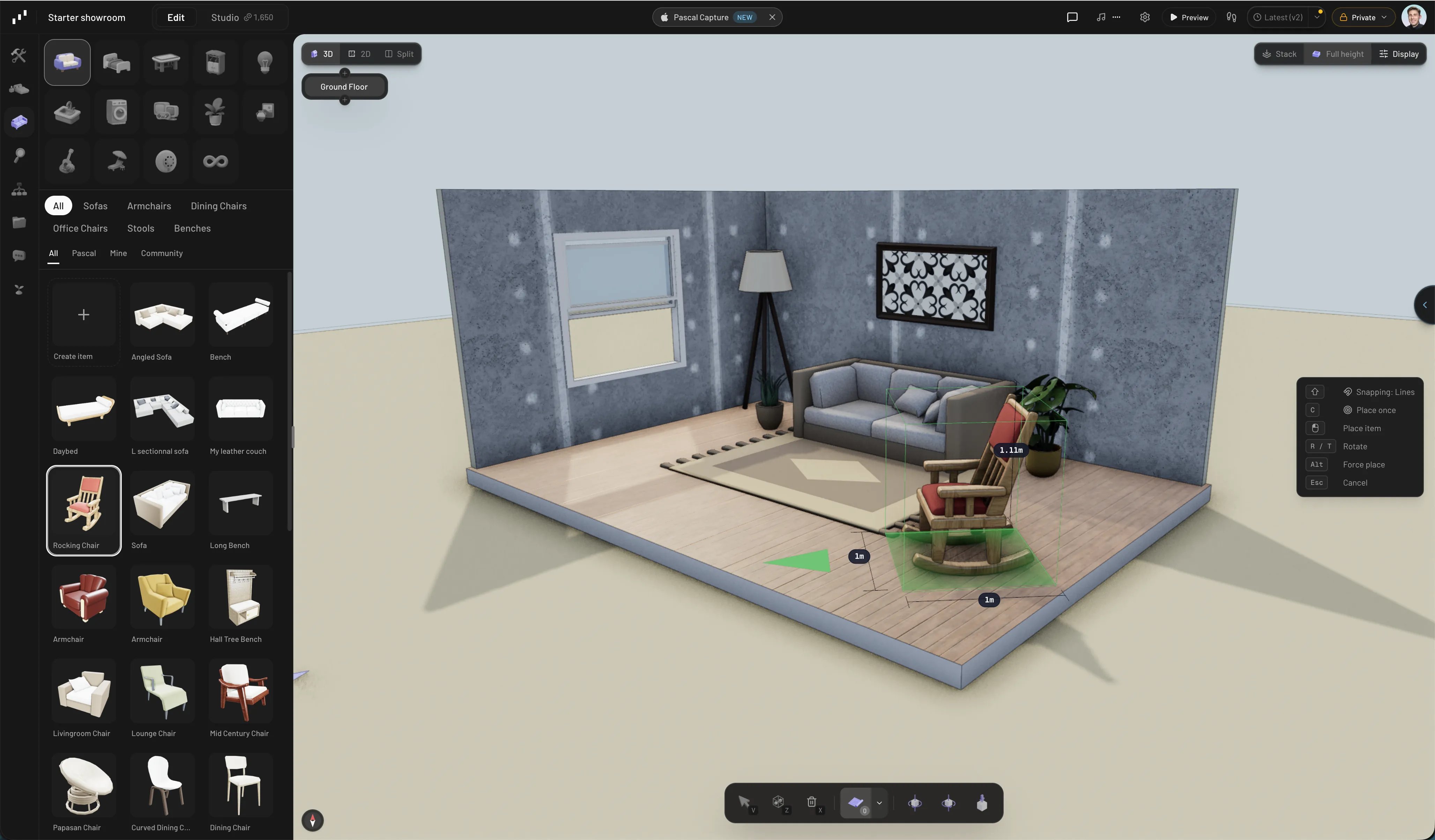
> Pascal is a free, open-source 3D building editor that runs in your browser — design buildings, paint them with realistic materials, render images and video, and export or embed the result anywhere.
Draw walls, add doors and windows, furnish rooms, and paint every surface with
realistic materials — then walk through the result in 3D. Everything happens in the
browser with nothing to install: sign in with Google or email and your projects save
automatically to the cloud.
A Pascal project doesn't stop at the canvas. Generate photorealistic image and video
renders of your scenes, export them as GLB, OBJ, or STL for any engine or 3D tool,
collaborate with your team through organizations and project sharing, and embed the
live 3D viewer in any website or app.
 ## Start here
Draw a room, add openings, and place your first items in about five minutes.
What every panel, toolbar, and menu in the editor does.
Prefer video? The [tutorial series on YouTube](https://www.youtube.com/playlist?list=PL3VsIu0b0Tj3i63uCav6lMS0Wcx1Wo3S_)
covers building, furnishing, and painting your first home — each guide page here also
embeds the matching tutorial.
## Explore the features
Walls, floors, levels, roofs, and the openings that cut through them.
Furnish from the catalog, then paint any surface with realistic materials.
Chat with an assistant that builds and edits your scene for you.
Turn scene captures into photorealistic image and video renders.
Scan a real space with your iPhone and turn it into an editable scene.
Make projects public, share view links, and fork what others build.
Take your scene anywhere — GLB, OBJ, STL, and PDF floor plans.
Put a live, interactive Pascal scene on your own site with one iframe.
## Open source
The editor's core is open source at
[github.com/pascalorg/editor](https://github.com/pascalorg/editor). Feature announcements
land on the [changelog](https://editor.pascal.app/changelog), and the community hangs out
on [Discord](https://discord.gg/XRKsDcpqgS).
## Start here
Draw a room, add openings, and place your first items in about five minutes.
What every panel, toolbar, and menu in the editor does.
Prefer video? The [tutorial series on YouTube](https://www.youtube.com/playlist?list=PL3VsIu0b0Tj3i63uCav6lMS0Wcx1Wo3S_)
covers building, furnishing, and painting your first home — each guide page here also
embeds the matching tutorial.
## Explore the features
Walls, floors, levels, roofs, and the openings that cut through them.
Furnish from the catalog, then paint any surface with realistic materials.
Chat with an assistant that builds and edits your scene for you.
Turn scene captures into photorealistic image and video renders.
Scan a real space with your iPhone and turn it into an editable scene.
Make projects public, share view links, and fork what others build.
Take your scene anywhere — GLB, OBJ, STL, and PDF floor plans.
Put a live, interactive Pascal scene on your own site with one iframe.
## Open source
The editor's core is open source at
[github.com/pascalorg/editor](https://github.com/pascalorg/editor). Feature announcements
land on the [changelog](https://editor.pascal.app/changelog), and the community hangs out
on [Discord](https://discord.gg/XRKsDcpqgS).