> ## Documentation Index
> Fetch the complete documentation index at: https://editor.pascal.app/docs/llms.txt
> Use this file to discover all available pages before exploring further.
# Bake and export
> Download your Pascal scene as a GLB, STL, or OBJ model or a PDF floorplan, and learn how publishing bakes a web-ready copy of your project.
Your designs aren't locked into Pascal. You can download a scene as a standard 3D model
file, print-ready floorplan PDFs, or a raw data file — and every time you publish,
Pascal automatically prepares an optimized copy of your scene for fast viewing and
sharing on the web.
## Export a 3D model
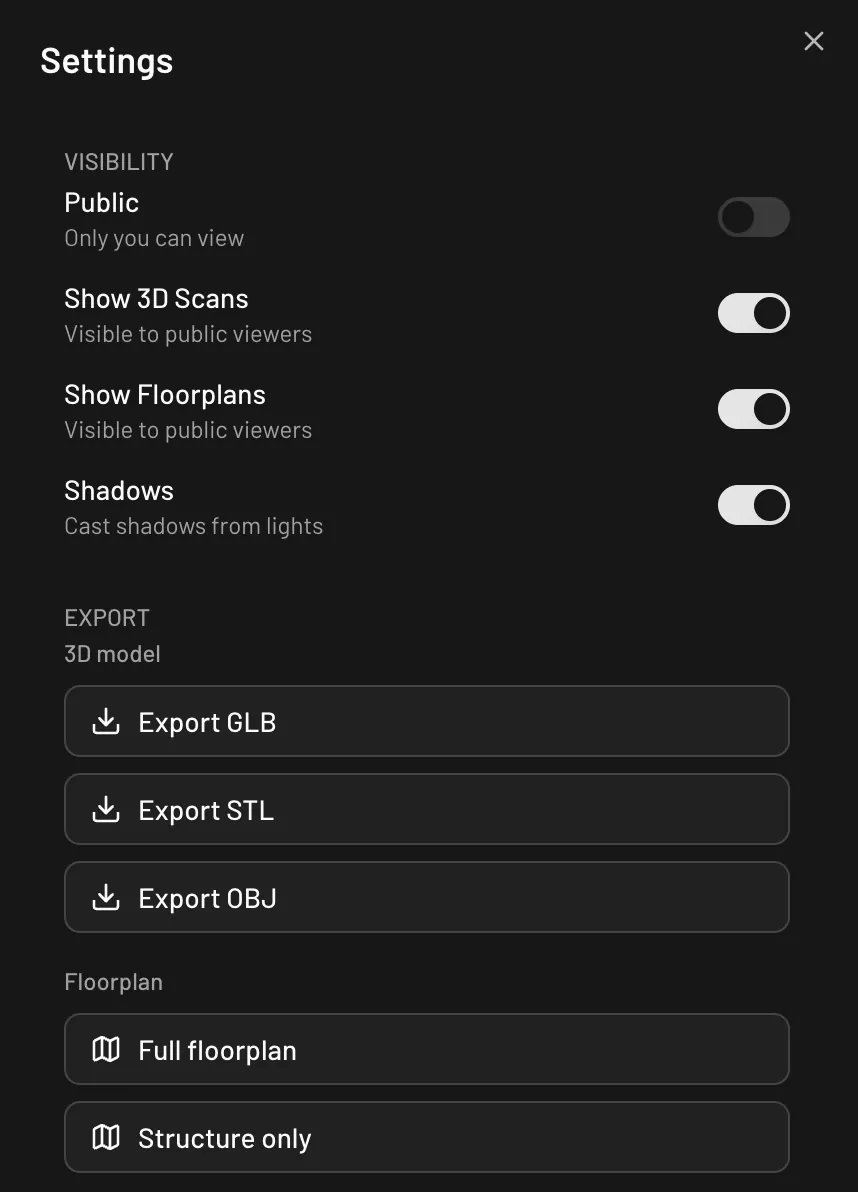
Open **Settings** at the bottom of the left sidebar and find the **Export** section.
Three formats are available under **3D model**:
 | Button | Format | Best for |
| -------------- | ---------------------- | ------------------------------------- |
| **Export GLB** | Binary glTF (`.glb`) | Blender, game engines, web 3D viewers |
| **Export STL** | Binary STL (`.stl`) | 3D printing |
| **Export OBJ** | Wavefront OBJ (`.obj`) | Older 3D tools |
GLB is the most complete format: it carries your materials and textures, and every
door and window includes an open/close animation clip that plays in any standard
glTF viewer — no Pascal software needed on the other end. STL and OBJ export
geometry only, without materials.
Files download with a dated name, for example `model_2026-07-06.glb`.
You can also export from the command palette: press `Cmd/Ctrl + K` and pick
**Export 3D Model (GLB)**.
## Export a floorplan PDF
The same **Export** section has a **Floorplan** group with two buttons:
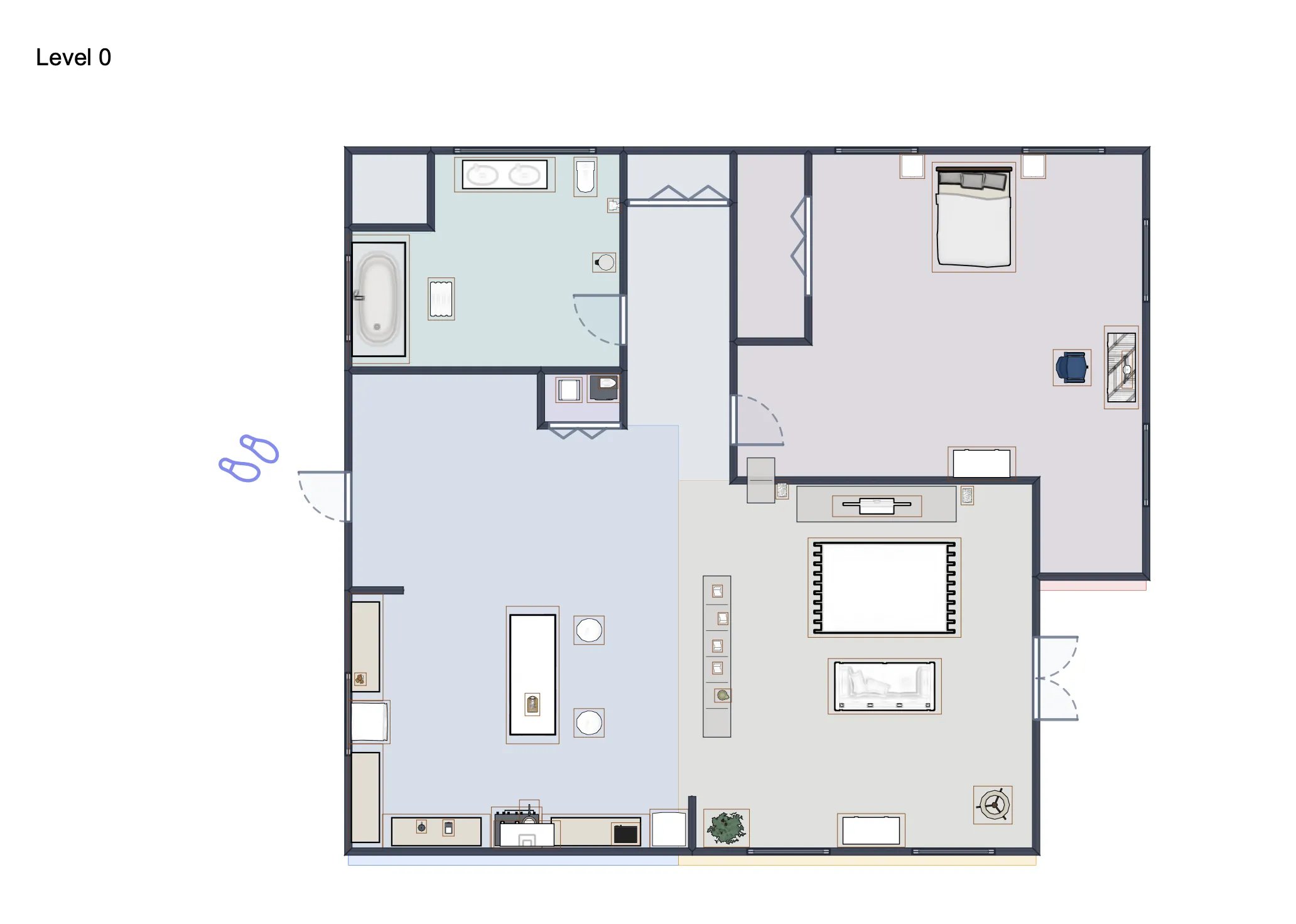
* **Full floorplan** — the complete plan, including furniture and items.
* **Structure only** — just the building: walls, slabs, doors, windows, stairs,
columns, and roofs.
Either option produces a landscape A4 PDF with one page per level, each page titled
with the level's name.
| Button | Format | Best for |
| -------------- | ---------------------- | ------------------------------------- |
| **Export GLB** | Binary glTF (`.glb`) | Blender, game engines, web 3D viewers |
| **Export STL** | Binary STL (`.stl`) | 3D printing |
| **Export OBJ** | Wavefront OBJ (`.obj`) | Older 3D tools |
GLB is the most complete format: it carries your materials and textures, and every
door and window includes an open/close animation clip that plays in any standard
glTF viewer — no Pascal software needed on the other end. STL and OBJ export
geometry only, without materials.
Files download with a dated name, for example `model_2026-07-06.glb`.
You can also export from the command palette: press `Cmd/Ctrl + K` and pick
**Export 3D Model (GLB)**.
## Export a floorplan PDF
The same **Export** section has a **Floorplan** group with two buttons:
* **Full floorplan** — the complete plan, including furniture and items.
* **Structure only** — just the building: walls, slabs, doors, windows, stairs,
columns, and roofs.
Either option produces a landscape A4 PDF with one page per level, each page titled
with the level's name.
 ## Back up scene data
To keep a raw copy of your scene's data, use **Save Build** in the **Save & Load**
section of the Settings panel. It downloads a JSON file you can re-import later with
**Load Build** — handy for offline backups or moving a design between accounts. The
command palette's **Export Scene (JSON)** does the same kind of raw data export.
## Baking: what happens when you publish
When you publish a project (**Save & publish** in the editor), Pascal automatically
*bakes* the published version in the background: the scene is converted into a
self-contained, optimized 3D model that the shared viewer loads much faster than
rebuilding the scene from scratch.
* Baking starts automatically after every publish — there's nothing to trigger.
* It usually finishes within a few minutes. Until the bake is ready, your viewer
link shows the live scene, so sharing is never blocked.
* Re-publishing (or republishing an older version) bakes again, so the viewer
always matches what you published.
You don't download the baked copy directly — it powers your
[shared viewer link](/community/sharing-your-work) and
[embeds](/developers/embedding). If you want a GLB file of your scene on disk, use
**Export GLB** above; it produces the same kind of self-contained model, animations
included.
## Import IFC files
Pascal can also bring building models *in*: the
[IFC importer](https://editor.pascal.app/ifc) converts an IFC model into an editable
Pascal scene.
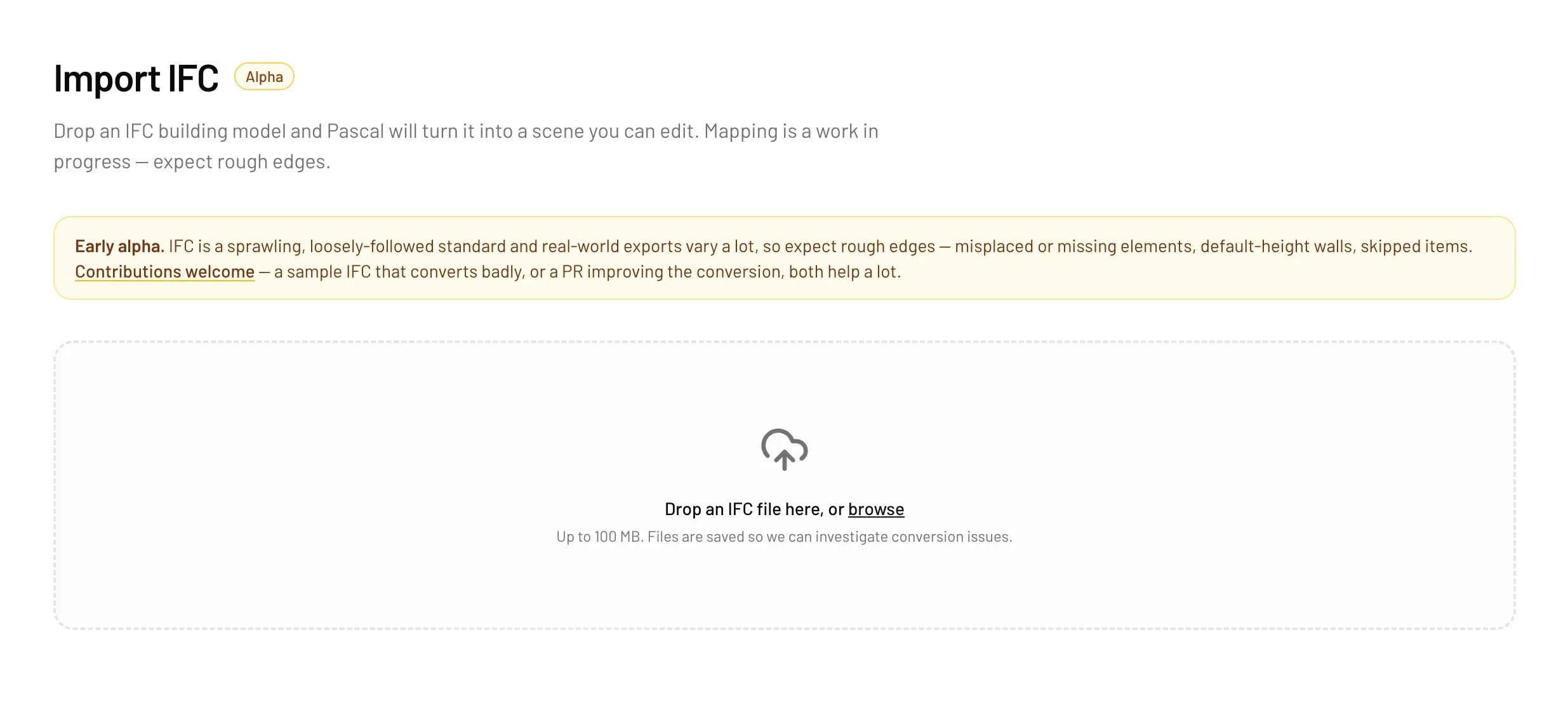
IFC import is in alpha. The mapping from IFC to Pascal is a work in progress —
expect rough edges, and imported files are saved so the team can investigate
conversion issues. There is currently no IFC export.
1. Go to [editor.pascal.app/ifc](https://editor.pascal.app/ifc) (you'll need to be
signed in).
2. Drop an `.ifc` file (up to 100 MB) or browse for one.
3. Watch the conversion progress, then preview the result in 3D.
4. Click **Edit in Pascal** to create a project from the conversion and open it in
the editor.
## Back up scene data
To keep a raw copy of your scene's data, use **Save Build** in the **Save & Load**
section of the Settings panel. It downloads a JSON file you can re-import later with
**Load Build** — handy for offline backups or moving a design between accounts. The
command palette's **Export Scene (JSON)** does the same kind of raw data export.
## Baking: what happens when you publish
When you publish a project (**Save & publish** in the editor), Pascal automatically
*bakes* the published version in the background: the scene is converted into a
self-contained, optimized 3D model that the shared viewer loads much faster than
rebuilding the scene from scratch.
* Baking starts automatically after every publish — there's nothing to trigger.
* It usually finishes within a few minutes. Until the bake is ready, your viewer
link shows the live scene, so sharing is never blocked.
* Re-publishing (or republishing an older version) bakes again, so the viewer
always matches what you published.
You don't download the baked copy directly — it powers your
[shared viewer link](/community/sharing-your-work) and
[embeds](/developers/embedding). If you want a GLB file of your scene on disk, use
**Export GLB** above; it produces the same kind of self-contained model, animations
included.
## Import IFC files
Pascal can also bring building models *in*: the
[IFC importer](https://editor.pascal.app/ifc) converts an IFC model into an editable
Pascal scene.
IFC import is in alpha. The mapping from IFC to Pascal is a work in progress —
expect rough edges, and imported files are saved so the team can investigate
conversion issues. There is currently no IFC export.
1. Go to [editor.pascal.app/ifc](https://editor.pascal.app/ifc) (you'll need to be
signed in).
2. Drop an `.ifc` file (up to 100 MB) or browse for one.
3. Watch the conversion progress, then preview the result in 3D.
4. Click **Edit in Pascal** to create a project from the conversion and open it in
the editor.