> ## Documentation Index
> Fetch the complete documentation index at: https://editor.pascal.app/docs/llms.txt
> Use this file to discover all available pages before exploring further.
# Explore the community
> Browse public 3D projects built with Pascal, visit maker profiles, and like or fork the designs you love.
The community hub at
[editor.pascal.app/community](https://editor.pascal.app/community) collects every public
project — houses, apartments, offices, and everything in between, "Built by the
community". Browsing needs no account; liking and forking do.
 ## Browse and search
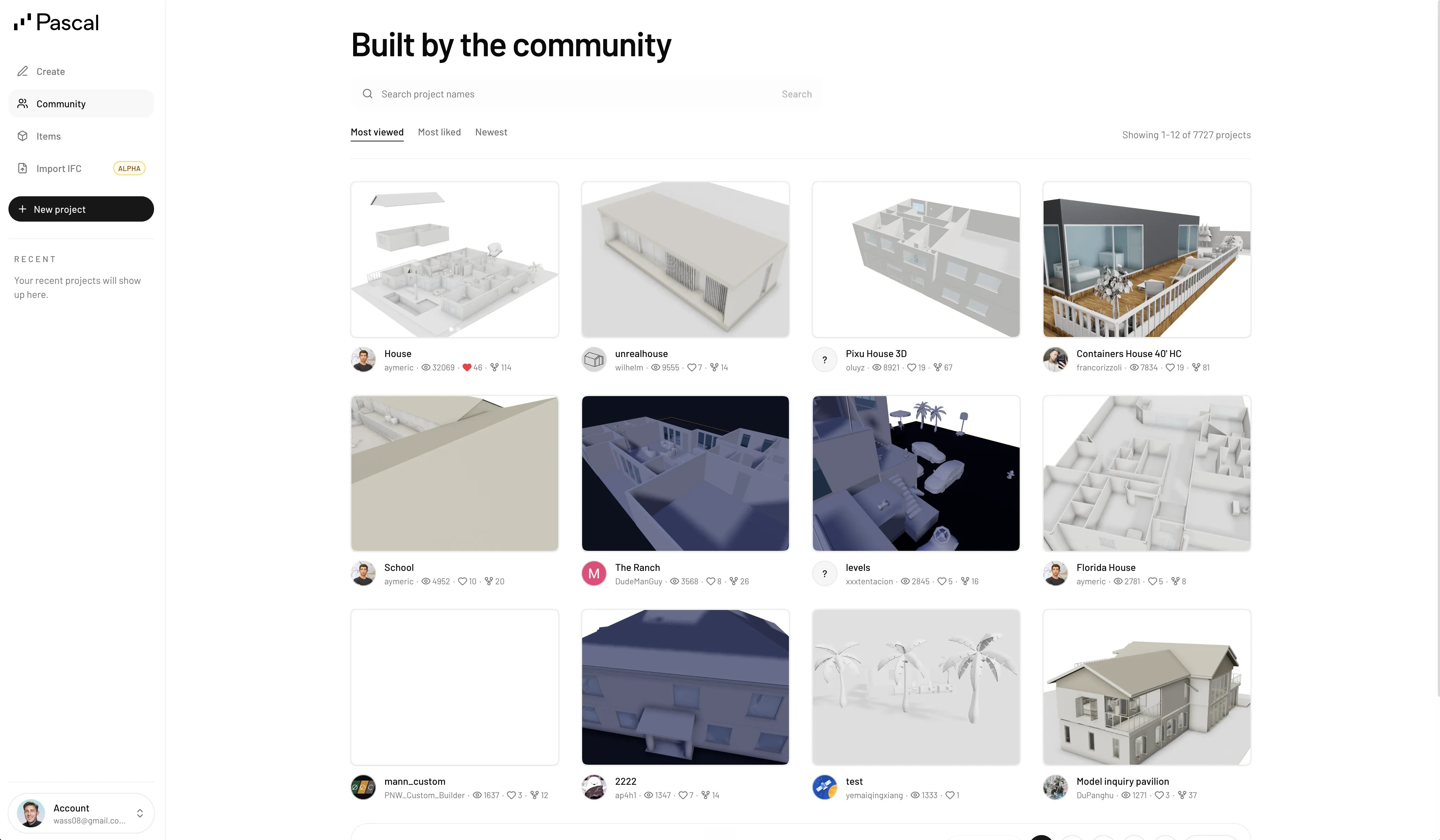
Sort the grid by **Most viewed** (the default), **Most liked**, or **Newest**, or search
project names. Each card shows the project's preview, its name, the maker's avatar and
username, and its view, like, and fork counts. Click a card to open the project in the
[view-only viewer](/community/sharing-your-work#share-a-view-only-link).
## Profiles
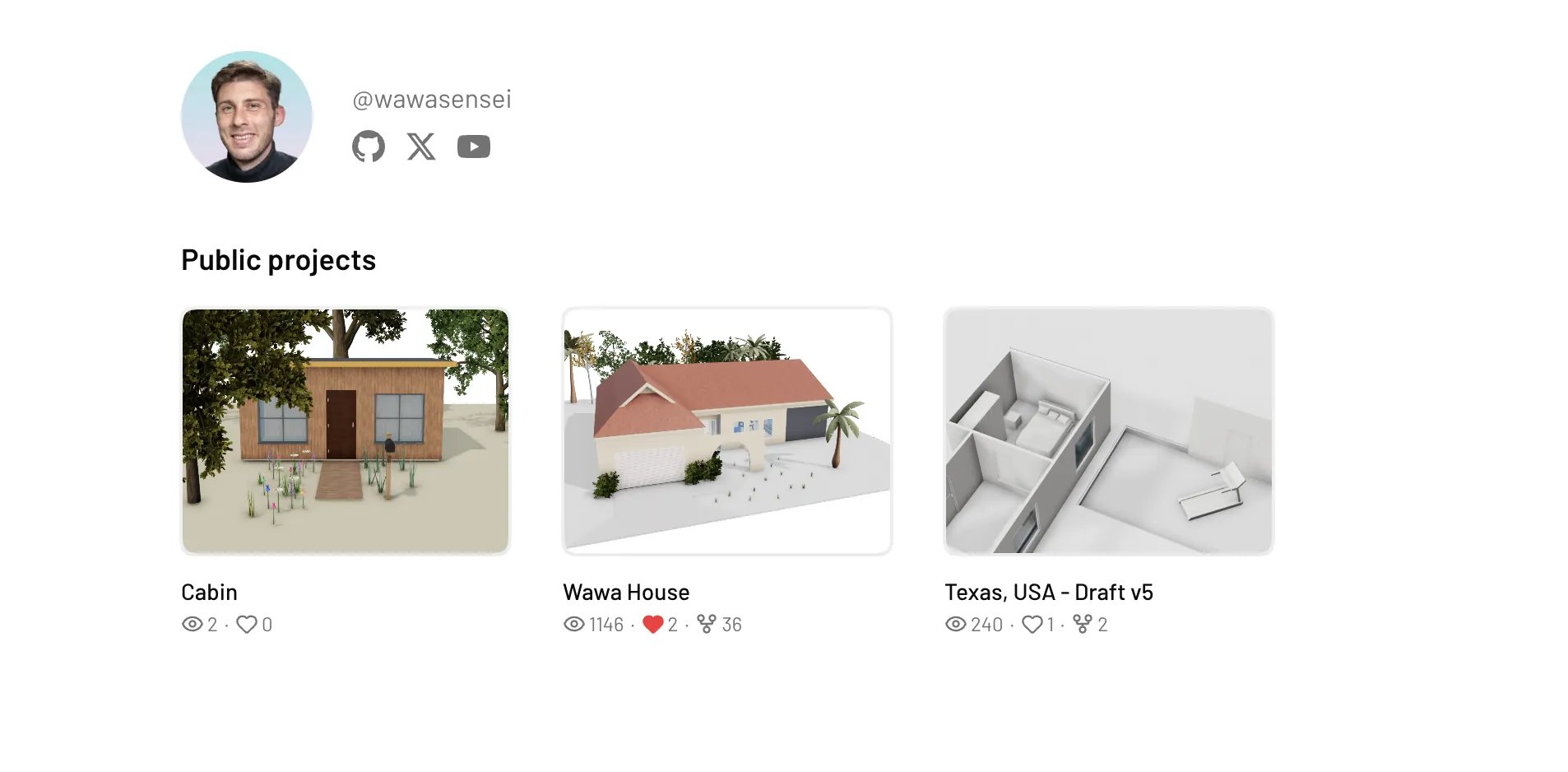
Every username links to a public profile at `editor.pascal.app/u/` with the
maker's avatar, name, and all of their public projects. Your own profile fills in
automatically as you make projects [public](/community/sharing-your-work).
## Browse and search
Sort the grid by **Most viewed** (the default), **Most liked**, or **Newest**, or search
project names. Each card shows the project's preview, its name, the maker's avatar and
username, and its view, like, and fork counts. Click a card to open the project in the
[view-only viewer](/community/sharing-your-work#share-a-view-only-link).
## Profiles
Every username links to a public profile at `editor.pascal.app/u/` with the
maker's avatar, name, and all of their public projects. Your own profile fills in
automatically as you make projects [public](/community/sharing-your-work).
 ## Like a project
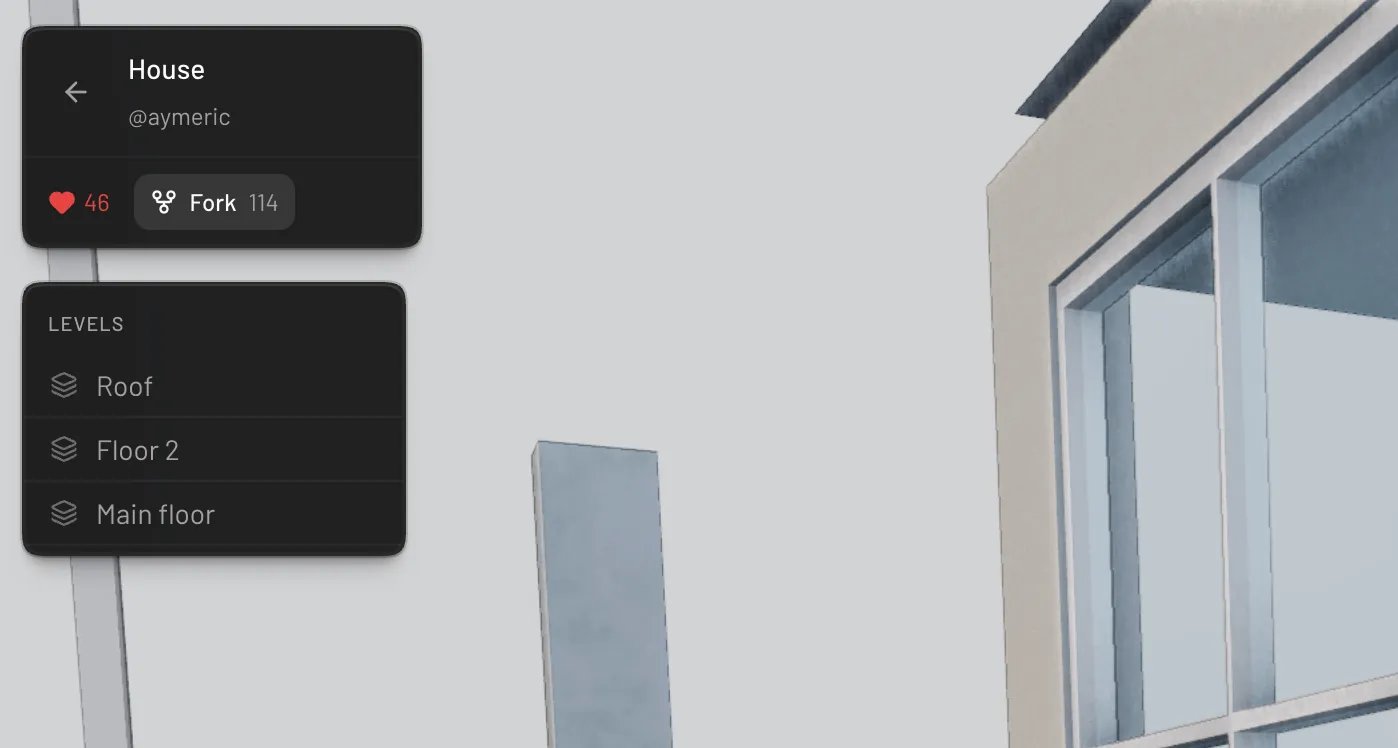
Click the heart on a project card or in the viewer's top-left panel to like a project —
click again to unlike. Likes feed the **Most liked** sort, so they're how the community
surfaces its favorites. You need to be signed in.
## Fork a project
Open a project in the viewer and click **Fork** to use it as a starting point. Forking
copies the entire scene into a new private project of your own — named after the original
with "(Fork)" appended — and drops you straight into the editor to make it yours.
A few things to know:
* Forks start **private**; the original owner keeps their project untouched.
* The original's scans and floorplan guides are not copied — you get the design itself.
* The fork counts toward the original project's fork tally, credit where it's due.
## Like a project
Click the heart on a project card or in the viewer's top-left panel to like a project —
click again to unlike. Likes feed the **Most liked** sort, so they're how the community
surfaces its favorites. You need to be signed in.
## Fork a project
Open a project in the viewer and click **Fork** to use it as a starting point. Forking
copies the entire scene into a new private project of your own — named after the original
with "(Fork)" appended — and drops you straight into the editor to make it yours.
A few things to know:
* Forks start **private**; the original owner keeps their project untouched.
* The original's scans and floorplan guides are not copied — you get the design itself.
* The fork counts toward the original project's fork tally, credit where it's due.