> ## Documentation Index
> Fetch the complete documentation index at: https://editor.pascal.app/docs/llms.txt
> Use this file to discover all available pages before exploring further.
# Account & settings
> How signing in to Pascal works, what you can do without an account, and how to manage your profile, connected accounts, notifications, and account deletion.
Pascal accounts are passwordless — you sign in with Google or with your email address,
and everything you build is saved to your account in the cloud.
## What you can do without an account
You can browse Pascal freely without signing in:
* Explore public projects on the [community page](https://editor.pascal.app/community).
* Open any shared view link and walk through the scene in 3D.
* Read the [changelog](https://editor.pascal.app/changelog) and browse public profiles.
You need an account to:
* Create, edit, and save your own projects.
* Publish your work and interact with the community — see
[Sharing your work](/community/sharing-your-work).
* Use AI features: the [assistant](/ai/assistant) and
[studio renders](/ai/studio-renders) (renders also use [credits](/account/credits)).
* Upload scans from the Pascal Capture app — see [Capture](/capture/overview).
## Signing in
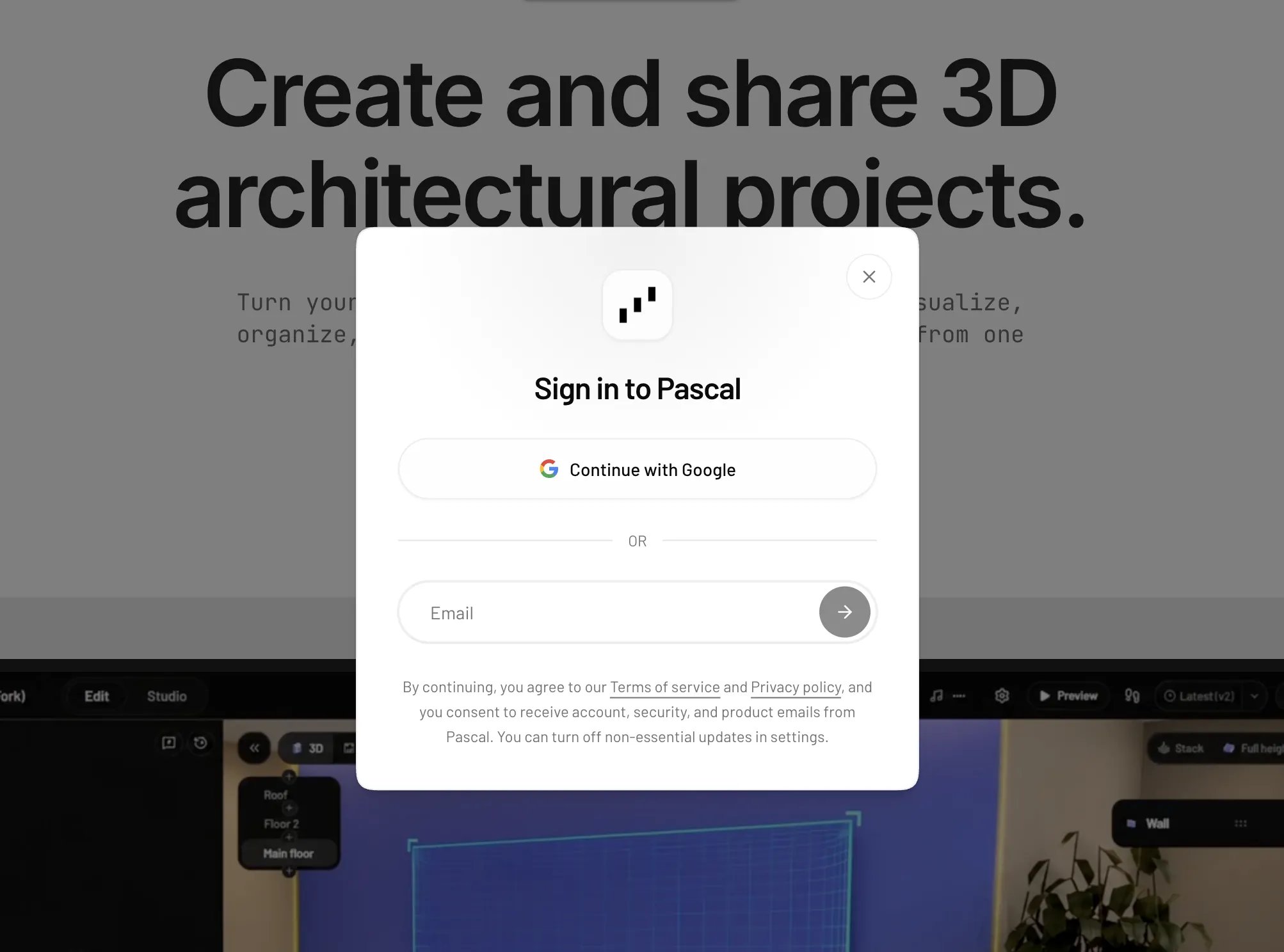
There are no passwords in Pascal. The sign-in dialog offers two ways in:
* **Google** — click "Continue with Google" and pick your Google account.
* **Email** — type your address and click "Email me". Pascal sends you an email
containing both a sign-in link and a 6-digit code: click the link, or type the code
into the dialog. The link and code expire after 5 minutes, and you can request a new
one with "Resend code".
Both methods lead to the same account: signing in with Google and signing in by email
with the same address are linked automatically.
If you use the Pascal Capture app on iPhone, you can also sign in there with Apple —
it connects to the same Pascal account.
 ## Profile settings
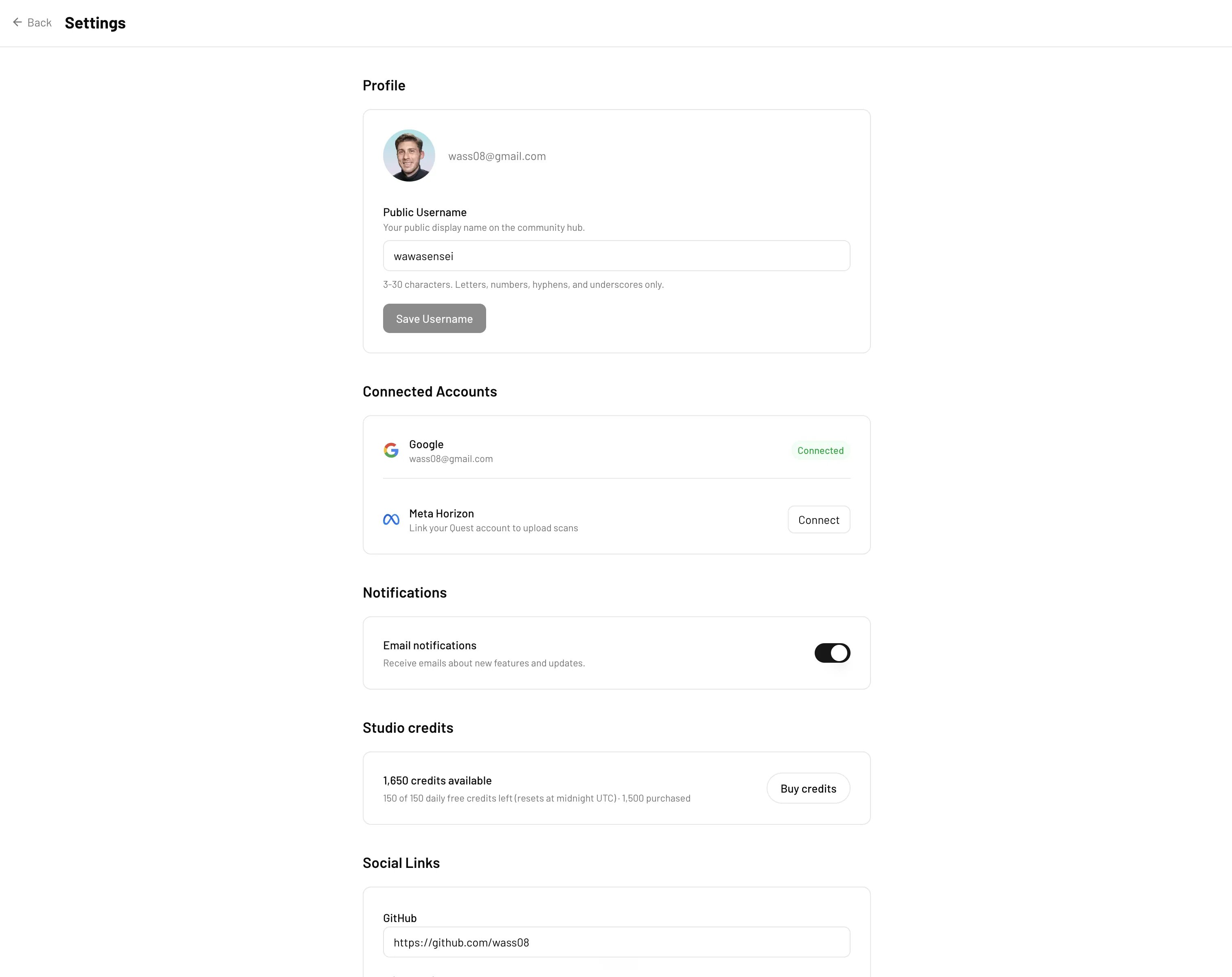
Open [Settings](https://editor.pascal.app/settings) from your profile menu. The
Profile section covers how you appear to others:
* **Avatar** — click your avatar and choose an image to upload.
* **Public Username** — your public display name on the community hub, 3–30
characters using letters, numbers, hyphens, and underscores. It also becomes your
public profile URL: `https://editor.pascal.app/u/`.
* **Social Links** — add your GitHub, X (Twitter), and YouTube links to show them on
your public profile.
## Profile settings
Open [Settings](https://editor.pascal.app/settings) from your profile menu. The
Profile section covers how you appear to others:
* **Avatar** — click your avatar and choose an image to upload.
* **Public Username** — your public display name on the community hub, 3–30
characters using letters, numbers, hyphens, and underscores. It also becomes your
public profile URL: `https://editor.pascal.app/u/`.
* **Social Links** — add your GitHub, X (Twitter), and YouTube links to show them on
your public profile.
 ## Connected accounts
The Connected Accounts section shows which providers are linked to your account:
* **Google** — connect it for one-click sign-in if you originally signed up by email.
* **Meta Horizon** — link your Quest account to upload scans from your headset.
## Notifications
The Notifications section has a single "Email notifications" toggle that controls
emails about new features and updates. Essential account and security emails are
always delivered.
## API keys
The API keys section lets you create keys for connecting AI agents (like Claude Code
or Codex) to your Pascal account over MCP. The "Connect an AI agent" panel below it
shows ready-to-copy setup commands for each tool.
## Deleting your account
You can delete your account yourself from Settings:
1. Scroll to the **Danger zone** section.
2. Click "Delete account".
3. Type `DELETE` in the confirmation dialog and confirm.
Deletion is permanent and cannot be undone: your account and profile information are
removed and your sessions are revoked. Your public projects are preserved but are no
longer linked to your profile.
If you can no longer sign in, email
[privacy@pascal.app](mailto:privacy@pascal.app) from the address associated with your
account and we'll process the deletion manually after verifying your identity.
## Connected accounts
The Connected Accounts section shows which providers are linked to your account:
* **Google** — connect it for one-click sign-in if you originally signed up by email.
* **Meta Horizon** — link your Quest account to upload scans from your headset.
## Notifications
The Notifications section has a single "Email notifications" toggle that controls
emails about new features and updates. Essential account and security emails are
always delivered.
## API keys
The API keys section lets you create keys for connecting AI agents (like Claude Code
or Codex) to your Pascal account over MCP. The "Connect an AI agent" panel below it
shows ready-to-copy setup commands for each tool.
## Deleting your account
You can delete your account yourself from Settings:
1. Scroll to the **Danger zone** section.
2. Click "Delete account".
3. Type `DELETE` in the confirmation dialog and confirm.
Deletion is permanent and cannot be undone: your account and profile information are
removed and your sessions are revoked. Your public projects are preserved but are no
longer linked to your profile.
If you can no longer sign in, email
[privacy@pascal.app](mailto:privacy@pascal.app) from the address associated with your
account and we'll process the deletion manually after verifying your identity.